Data & Decisions · 10 min read
Dashboards Without Vanity Metrics: What Leaders Should Actually Watch
A good dashboard answers three questions in ten seconds. How to spot vanity metrics, design one page per audience and keep it honest over time.
 Dennis AlejoBusiness consultant · Project & operations manager · · 2,288 words
Think about the dashboard of a car. It shows your speed, how much fuel you have left and a few warning lights. It does not show the temperature of every cylinder, the history of every trip or a chart of the average speed of cars in your city. Yet when a warning light turns on, you know within a second what to do: slow down, stop or head to a garage. The car's dashboard is a masterpiece of restraint, built around one idea: tell the driver what they need in order to decide, and nothing else.
Most project dashboards are the opposite. They are built from whatever the software can produce, they have forty tiles, and they are reviewed in meetings where everyone nods and nobody decides anything. The cure is not a better tool. It is a different way of thinking about what a dashboard is for, and a willingness to throw away numbers that flatter you.
This article is about building dashboards that leaders actually use: how to spot vanity metrics, how to choose actionable ones, how to design one page that works for different audiences, and how to keep it honest over time. It also includes a short test to see how honest your current dashboard is.
What a dashboard is for
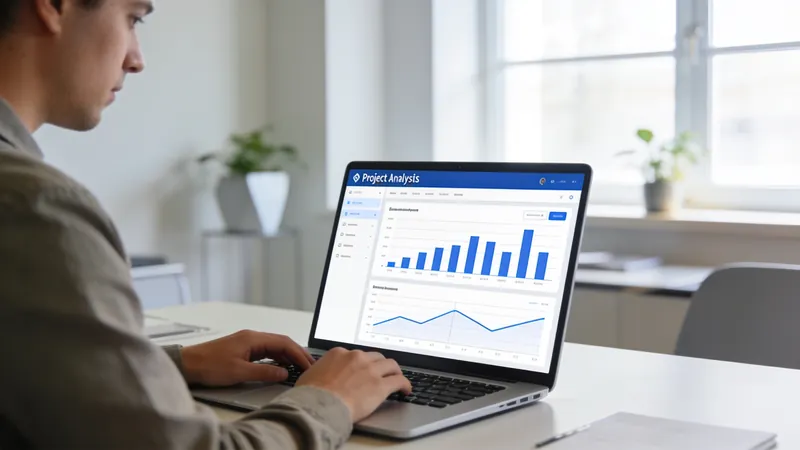
A dashboard has one job: to help someone make a decision faster and with fewer surprises. That is a narrower job than most people assume. A dashboard is not an archive, a trophy cabinet or a way to prove that you are busy. If a number cannot change what someone does next, it does not belong on the main page.
The car analogy gives a useful template. Every project dashboard should answer three questions at a glance. First, are we on course? This is progress against plan: the speedometer. Second, do we have enough fuel? This is the resources view: budget, people and time remaining. Third, is anything flashing red? These are the risks and issues that need attention now. If your dashboard cannot answer those three questions in ten seconds, it is not finished.
On large infrastructure programs, a monthly report can run to dozens of pages, and in my experience the people who make the biggest decisions, the sponsors, rarely read past the first one. A single page with progress, money and the top three issues, with the detail available behind it, changes the quality of the conversation. They do not want less information. They want the right information first.
Vanity metrics versus actionable metrics
The term "vanity metric" comes from the startup world, but it applies to every project. A vanity metric is a number that looks good, grows easily and tells you nothing about what to do. An actionable metric is one that connects to a decision.
Here are some pairs from different kinds of projects:
- Marketing: followers and page views are vanity. Qualified conversations started per week is actionable.
- Software: story points completed or lines of code are vanity. Cycle time, meaning how long a piece of work takes from start to release, and defects found after release are actionable.
- Construction: percentage of budget spent is vanity on its own. Earned value against actual cost is actionable, as explained in earned value in plain English.
- Restaurants: covers served on a good night is vanity. Table turn time, food waste percentage and the number of orders delayed past a set time are actionable.
- Education: sign-ups are vanity. The share of learners who finish the first module is actionable. I look at this in education companies need better processes.
- Staffing: resumes collected is vanity. Days from first contact to a placed worker is actionable, as discussed in staffing without the chaos.
Notice the pattern. Vanity metrics count activity or size. Actionable metrics measure speed, quality, conversion or progress against a plan. If you want a quick test, ask: "If this number doubled tomorrow, would we do anything differently?" For followers, probably not. For qualified conversations, absolutely.
One dashboard, three audiences
A frequent mistake is to build one dashboard for everyone. The sponsor, the project manager and the team have different decisions to make, so they need different views, though all drawn from the same data.
The leadership view is one page. It shows overall health in a few big numbers, the trend of each, and a short list of decisions that need leadership attention. It should be readable in under a minute and should never require a login to a complicated tool.
The project manager's view adds the detail needed to run the work: milestone status, the schedule and cost indexes, the top risks and the issues log, open change requests and anything blocked. This is the working instrument, reviewed at least weekly.
The team view is the most concrete. It shows what is being worked on now, what is next and what is blocked, as on a task board. It should make it easy for people to see their own part, not to be graded by a number they cannot influence.
The rule that holds the three together is simple: leaders see summaries that link to the manager's view, and the manager's view links to the team's. Everyone is looking at the same truth at different zoom levels. When the numbers disagree between views, you have found a data problem worth solving, and I describe how to prevent that in data-driven project management.

Design choices that make a dashboard honest
A few design decisions separate a useful dashboard from a decorative one.
Show trends, not only snapshots. A single number says where you are. A small line next to it shows where you are heading. A schedule index of 0.92 is worrying if it was 1.05 last month, and reassuring if it was 0.80. Small sparklines next to each number cost almost nothing and carry a lot of meaning.
Show the target next to the value. "42" means nothing. "42 against a target of 50" means something. And make sure the target is meaningful, not just a number somebody invented.
Define the colors. Green, amber and red only work if everyone knows the thresholds. Write them down in plain language: green means within five percent of plan, amber means within fifteen, red means worse than that. Without definitions, colors become opinions.
Add one sentence of explanation. Next to anything amber or red, the owner writes a single sentence: what is happening and what they will do. This is the most valuable element on the page and the one most often missing.
Be honest about uncertainty. If a forecast is a range, show the range. If data is missing, say so. A blank cell with the note "waiting for lab results" builds more trust than a number you invented.
Limit the number of tiles. Between three and seven big tiles for the leadership view. If you need more, you are probably mixing audiences.
Beware watermelon reporting
Project managers know a term for one particular disease: watermelon reporting. It describes a project that is green on the outside and red on the inside. Every status is green until the day it becomes red, with nothing in between. It happens when people are afraid of bad news, when green is rewarded and when status is based on opinion instead of measurable criteria.
The cure is partly cultural and partly technical. Culturally, reward early warnings. A project manager who says "this is amber, and here is why" two months early deserves thanks, not scrutiny. Technically, tie the colors to measurable thresholds and, whenever possible, to leading indicators. If "on time" is defined by milestones starting on their planned date, a slipping start turns the status amber before the finish date is affected.
Run the quick test below on your own dashboard. Be honest. The only person who sees your score is you.
Examples of a good one-page view
To make this concrete, here is what a one-page leadership view might contain for three very different projects.
For a clinic or lodge opening: days to opening, percentage of readiness checklist complete, the cost index, the number of open critical issues, and a short list of decisions needed this week. That is the same logic I use when talking about the opening of Comtury Lodge and how hospitality openings combine construction readiness and operational readiness.
For a restaurant group like the one behind Qory Cuisine: sales per available hour, food cost percentage, labor cost percentage, a guest satisfaction signal, and the top three operational issues of the week. These are the numbers that change what a manager does on Tuesday.
For a software team: cycle time trend, deployments per week, defects reported by users, and the number of items blocked. If you are in a tech team, shipping SaaS without chaos explains why a small amount of structure matters more than many metrics.
In each case the page fits on one screen, has a trend or a target next to every number, and finishes with decisions rather than data.

Before you add any number: five questions
Every new metric costs something: someone has to collect it, define it, explain it and look at it. So treat each request for a new number as a small project of its own and ask five questions before saying yes.
- Which decision will this number support? If the answer is vague, such as "to keep an eye on things," decline politely.
- Who will own it? A number without a named person drifts out of date within weeks.
- Where will the data come from? If it needs manual re-entry every week, it will not survive the first busy month.
- What will we do when it goes red? If there is no planned response, the number is only a way to feel worse.
- What will we stop watching to make room for it? A dashboard is a budget of attention. Every addition should be paid for with a removal.
These questions feel strict, and that is the point. They turn the dashboard from a pile of requests into a designed instrument.
A before-and-after story
Here is a composite example, a made-up illustration rather than a real client, but one that will feel familiar. A small company is launching a new service. The weekly report has thirty-one numbers, including website visits, social media followers, hours logged by each person, total tasks created and a long list of budget lines. The leadership meeting lasts ninety minutes and ends with "let's keep an eye on it."
The project manager rebuilds the report. The leadership page now has four numbers: qualified inquiries per week, the share of inquiries answered within one day, the cost index and the number of open critical issues. Each has a trend line and a target. Below them sits a short list titled "Decisions needed this week." The meeting drops to thirty minutes. In the first month, two decisions that had been avoided for weeks are made in the first ten minutes, because the numbers made the trade-off obvious: the team was spending half its time on a channel that produced almost no qualified inquiries.
Nothing about the data was new. What changed was the choice of what to show and the habit of finishing with decisions. That is the whole craft.
How to read the dashboard in a meeting
How you use the dashboard matters as much as how you build it. A good habit is to begin with exceptions. Do not walk through every tile. Start with what is red or amber, ask the owner for their one sentence and then decide what to do. Spend the last part of the meeting on decisions needed from leadership: approvals, trade-offs, unblocking. If nothing is wrong, end the meeting early and enjoy the rare gift of time.
Also, let the dashboard drive the agenda for the weekly project review, not the other way around. If a number has not triggered a conversation in a month, question whether it belongs there.
Keep it honest over time
Dashboards decay. New numbers are added when someone asks a question, and old ones are never removed. After a year, you have forty tiles again. Fight this with a simple ritual: every quarter, review the dashboard and ask of each number whether it changed a decision in the last three months. Retire the ones that did not. Rename the ones people misunderstand. And ask whether any important question is going unanswered, then find the metric that answers it.
Automation helps here. Collecting data from the tools where the work actually happens, assembling the one-page view and flagging unusual changes are tasks a machine does well, leaving the interpretation to people. If you want to explore which parts to automate first, read seven workflows to run on autopilot and look at the automation and AI service.
Start with a sketch
You do not need software to improve your dashboard today. Take a sheet of paper and draw three boxes. In the first, write the three numbers your leadership most needs. In the second, write the trend and target for each. In the third, write the decisions that the numbers should trigger. That sketch is your dashboard, and everything else is implementation. If you want help turning that sketch into a rhythm that your team runs every week, that is exactly what Project Focus is built to do.
Which number on your current dashboard has never changed a decision? Tell me in the comments, and be brave.
Frequently asked questions
What is a vanity metric?
A vanity metric is a number that looks impressive, grows easily and does not guide any decision, such as followers, page views or total tasks created. An actionable metric, by contrast, connects to something a person can do, such as qualified conversations per week or cycle time.
How many metrics should a project dashboard have?
For a leadership view, between three and seven large tiles, each with a trend and a target. More detail belongs in the project manager's and the team's views, which the leadership page can link to.
What is watermelon reporting?
It is a status report that is green on the outside and red on the inside: everything is reported as fine until it suddenly is not. It is usually caused by fear of bad news and by statuses based on opinion rather than measurable criteria.
How often should a dashboard be reviewed and updated?
Review it weekly in the project meeting and refresh the data as often as the work changes, ideally automatically. Every quarter, prune it by removing numbers that did not change a decision.
Join the conversation
Did this help? A quick reaction tells me what to write next.
Be the first to react.



Loading comments…